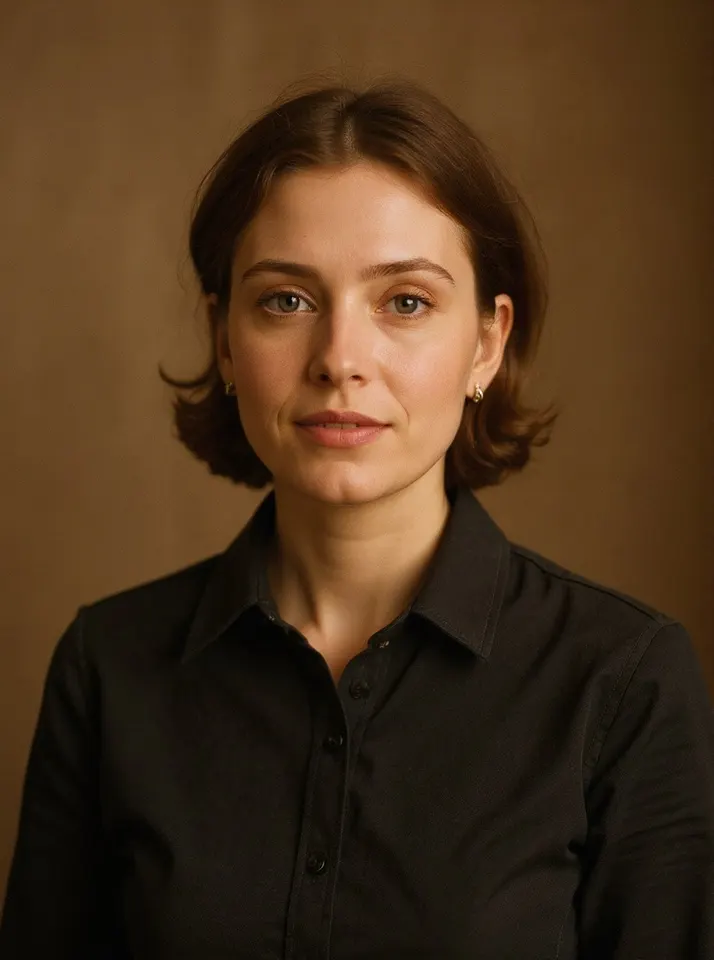
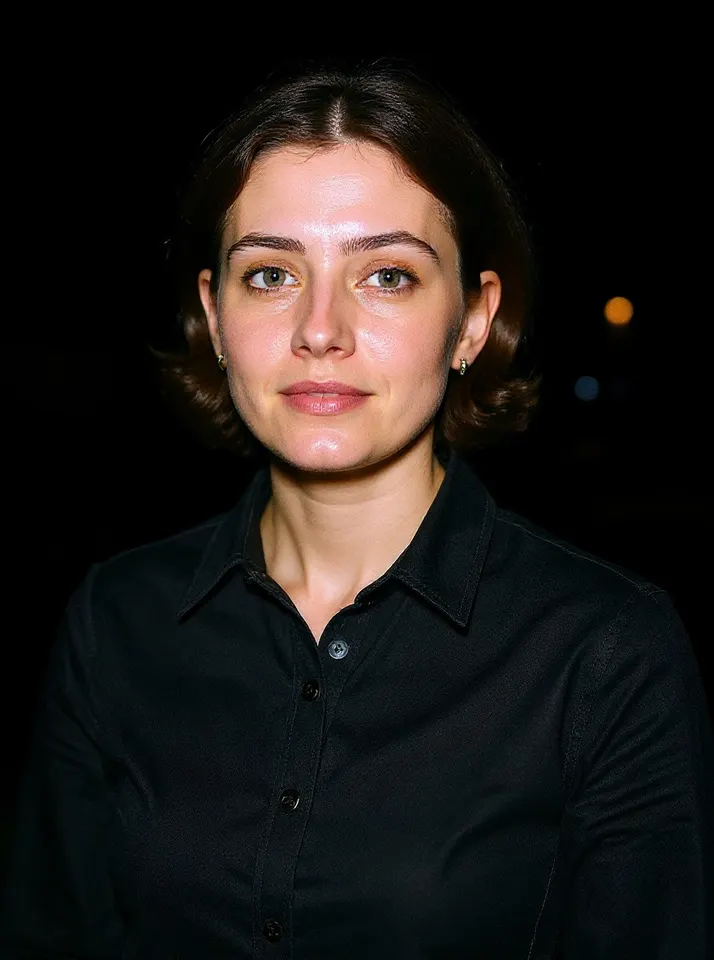
Guides / AI FlashHow to do the AI flash photo trend The AI flash trend makes a normal photo look like it was shot on a cheap point-and-shoot camera at a party around 2008: hard flash on the face, a dark background and a sharp shadow behind you.
You only need one photo. Here is how to make yours and get it ready to post.
Updated 2026-10-26
Before After Try AI Flash with your photo What you need One clear photo where your face is easy to see Only photos of you, or of people who agreed You, and everyone in the photo, must be 18 or older Make it in 4 steps Open the generator. Go to the AI Flash page on Flowood and sign in.Upload your photo. Pick one clear photo and confirm that you are 18+ and that everyone in it agreed.Check the free preview. You get a low-resolution preview with a watermark. Every account gets 2 free previews.Unlock HD and download. Happy with it? Unlock the full-size HD image for 1 credit. Credit packs start at $4.99, with no subscription.Tips for the best result Face the camera and keep your face fairly large in the frame. Indoor and night photos match the flash look best. Skip heavy filters or beauty modes on the original photo. Post it Download the HD image, open TikTok or Reels, and add the trending sound inside the app. Flowood does not add music.
FAQ Can I do the AI flash trend on my phone? Yes. Flowood works in your phone's browser, so there is nothing to install.
Which photo works best? A sharp, front-facing photo with your whole face visible. Night or indoor photos look the most like a real flash shot.
Does it cost anything to try? No. Every account gets 2 free previews. HD downloads use credits, from $4.99.
Try AI Flash with your photo Flowood is an independent tool. It is not affiliated with TikTok, Instagram, or the creators or artists behind this trend.